I Built a Read-Only Bridge Between AI and Pipedrive CRM
I built an open-source MCP server that lets AI assistants securely search and analyze Pipedrive CRM data using natural language.
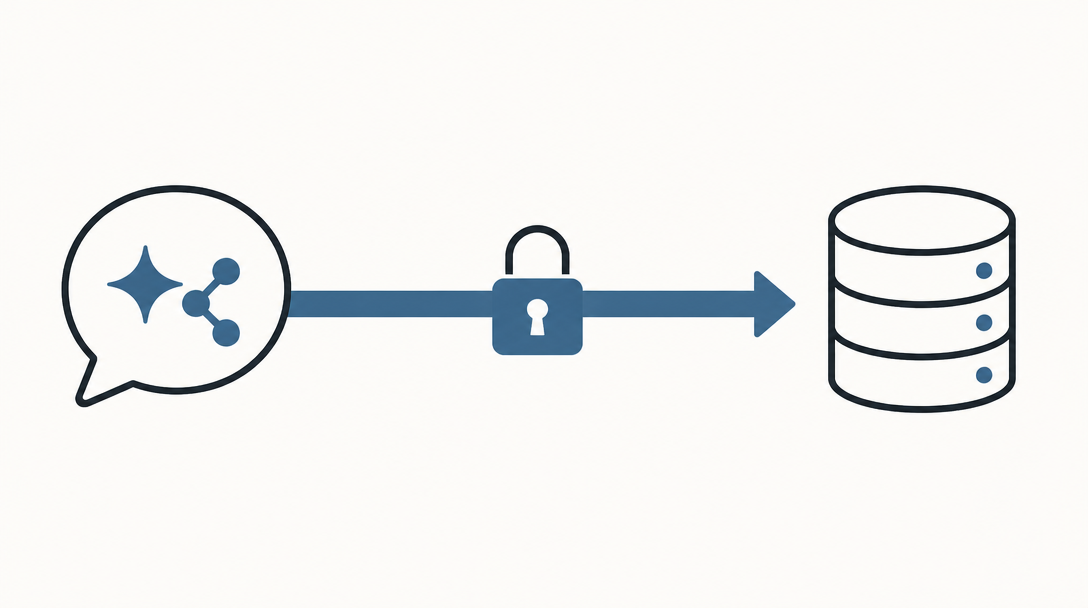
Most companies don't have a CRM data problem. They have a CRM access problem.
The information is there, but answering a straightforward question can still mean navigating filters, building a report, exporting a spreadsheet, or asking someone else to pull the data.
AI assistants offer a more natural way to work:
- "Show me our highest-value open deals."
- "Compare the stages in our sales pipelines."
- "Find every deal associated with this company."
- "Summarize the notes for this opportunity."
The challenge is that an AI model cannot answer those questions accurately unless it can access the underlying business system.
That is why I built and open-sourced the Pipedrive CRM MCP Server.
What Is MCP?
The Model Context Protocol, or MCP, is an open standard for connecting AI applications to external data and tools.
I think of it as a common integration layer for AI. Instead of building a completely different connector for every model or application, an MCP server exposes a defined collection of tools that compatible AI clients can use.
In this case, the server sits between an AI assistant and Pipedrive CRM. The assistant can request specific information, the server retrieves it through the Pipedrive CRM API, and the results are returned in a structured format the model can analyze.
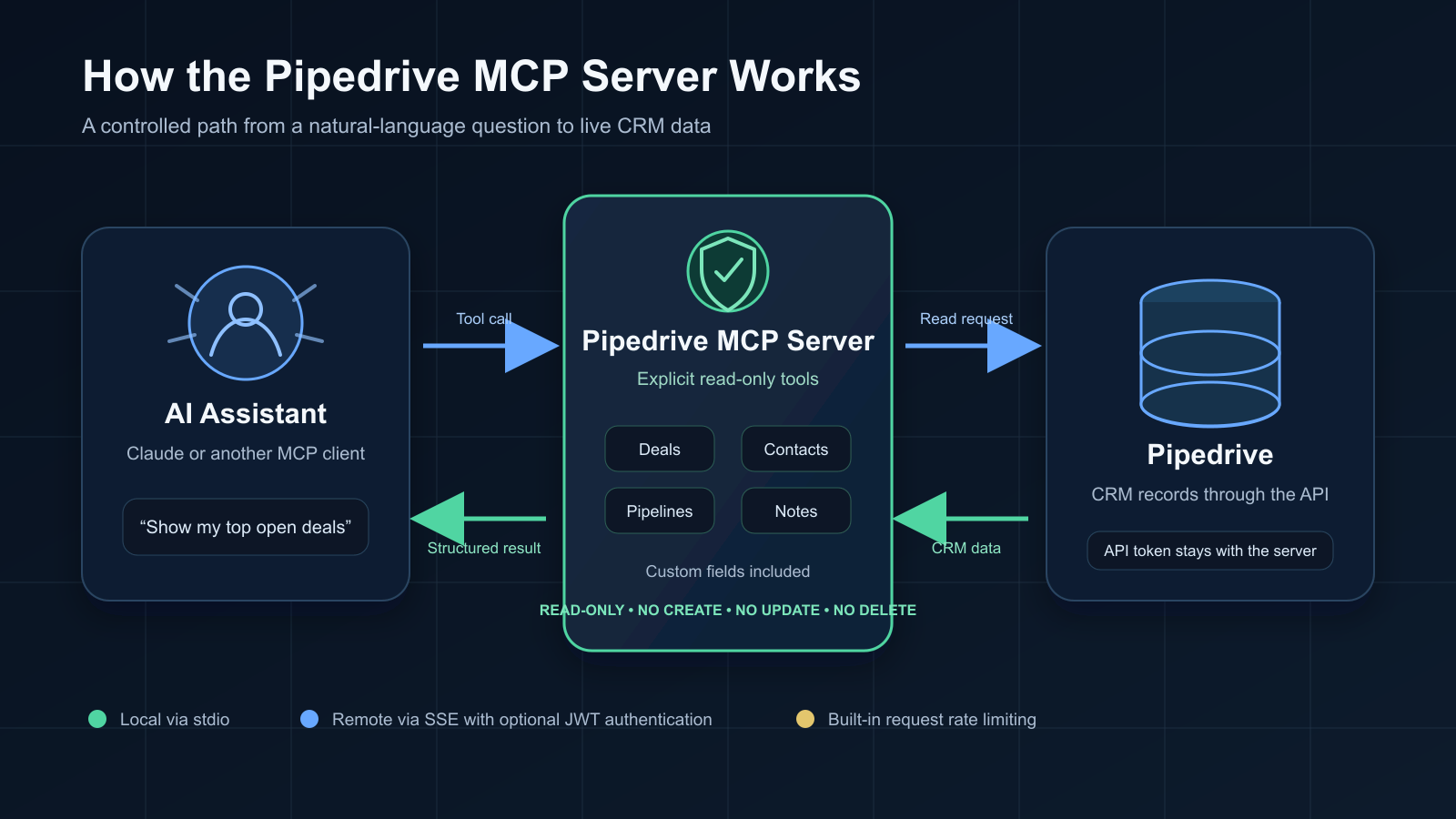
The model is not logging into Pipedrive CRM and clicking around. It is calling explicit, controlled tools.
What the Pipedrive CRM MCP Server Can Do
The server provides read-only access to the parts of Pipedrive CRM that are most useful for sales and operational analysis.
It can retrieve and search:
- Deals, including filtering by owner, stage, pipeline, status, date, and value
- People and organizations
- Pipelines and their stages
- Leads
- Deal notes
- Standard and custom fields
- Search results across multiple Pipedrive CRM record types
It also includes predefined prompts for common tasks such as analyzing deals by stage, comparing pipelines, organizing contacts by company, and identifying high-value opportunities.
This turns questions that might otherwise require a custom report into a conversation.
For example, a sales leader could ask:
Show me the highest-value open deals, grouped by pipeline, and identify the owner of each one.
The AI assistant can determine which Pipedrive CRM tools it needs, retrieve the relevant records, and present the result in a useful summary.
That does not replace dashboards or structured reporting. It creates another way to explore the same underlying data — especially when the next question depends on the answer to the first one.
Why I Started With Read-Only Access
Connecting AI to an operational system requires clear boundaries.
The current public version of the server is intentionally read-only. It does not expose tools for creating, changing, or deleting Pipedrive CRM records.
That makes it useful for analysis and discovery without giving the model the ability to alter the CRM.
The project also supports local connections, Docker deployment, optional JWT authentication for remote connections, and built-in rate limiting for Pipedrive CRM API requests.
Those controls matter, but MCP does not eliminate the need for sound data governance. Your Pipedrive CRM credentials should remain protected, access should be limited appropriately, and you should understand how your chosen AI provider handles the information returned to it.
The server keeps the API credential out of the conversation, but the CRM data requested through the tools may still be processed by the AI application. Treat that data accordingly.
Open Source Makes the Project Better
One of the best parts of publishing the project has been seeing it grow through community contributions.
What began as a straightforward local connection now includes Docker support, remote transport, authentication, and rate limiting. That is the value of open source: other developers can improve the project, adapt it to their environments, and help identify use cases the original author may not have considered.
The project is available under the MIT License, and contributions, issues, and feedback are welcome.
Getting Started
The server is written in TypeScript and can run locally or in Docker. At a minimum, it needs a Pipedrive CRM API token and your company's Pipedrive CRM domain.
After building the project, you can add it to an MCP-compatible client such as Claude Desktop. The server's tools will then become available to the assistant.
The complete installation instructions, configuration options, and available tools are documented in the GitHub repository.
As with any integration involving production business data, I recommend testing it in a controlled environment and reviewing the security settings before making it broadly available.
The Bigger Opportunity
The real value of AI in business will not come from a model sitting in isolation. It will come from connecting models to the systems where work actually happens — CRM platforms, financial systems, support tools, internal databases, and operational workflows.
Those connections need to be deliberate, observable, and constrained.
The Pipedrive CRM MCP Server is one practical example: give an AI assistant enough access to answer useful questions, while keeping a clear boundary around what it is allowed to do.
That is where enterprise AI starts becoming more than a chatbot. It becomes an interface to the business.
You can explore the project, report an issue, or contribute on GitHub.
Need help connecting AI to your business systems? Get in touch.
Subscribe
Get the next one in your inbox.
Roughly monthly. No tracking, easy unsubscribe.
Related reading
From Read-Only to Responsible Action: Rebuilding the Pipedrive CRM MCP Server for 2.x
Version 2.x rebuilds the Pipedrive CRM MCP Server around modern APIs, safer remote access, predictable responses, and a deliberately constrained path from read-only analysis to controlled action.
AI Works Best When It Changes the Operating Rhythm
Most AI pilots end at the demo. This one became a daily sales coaching email — and made follow-up gaps harder to ignore.
AI Answered Every Buying Question — Without the Brand's Own Website
We tested how AI assistants answered real buying questions about two client brands. Both generated useful answers. Only one brand's website helped shape them.